Contracts can't be found
The signed version is somewhere – in the cabinet, in an inbox or on a drive.

CONTRACT MANAGEMENT / ELO CONTRACT
Every contract in one place, every notice period in the calendar, every approval traceable. With ELO Contract you turn binders and Excel lists into digital contract management – with AI, workflows and e-signatures.
DOCSHERO® / Contract check
How many notice periods depend on an Excel list right now?
Enter your website – we'll prepare your initial consultation and show you how to manage your contracts digitally with ELO Contract.
We don't store your input – the logo loads via Google.


WHY EXCEL ISN'T ENOUGH
In many companies, contracts are scattered: in the filing cabinet, on the network drive, in the email inbox and in an Excel list that only one person maintains. As long as everything goes well, nobody notices. It gets expensive when a notice period lapses, a contract renews automatically or, during an audit, nobody can find the current version.
The signed version is somewhere – in the cabinet, in an inbox or on a drive.
Notice dates depend on individual people remembering them. A holiday or a job change is enough, and the contract renews.
Who committed to what, which contracts are running with which supplier, what does it cost per year? The answer takes days.
ELO CONTRACT AT A GLANCE
ELO Contract supports every contract across its entire lifecycle: create, review, sign, manage, renew or terminate.
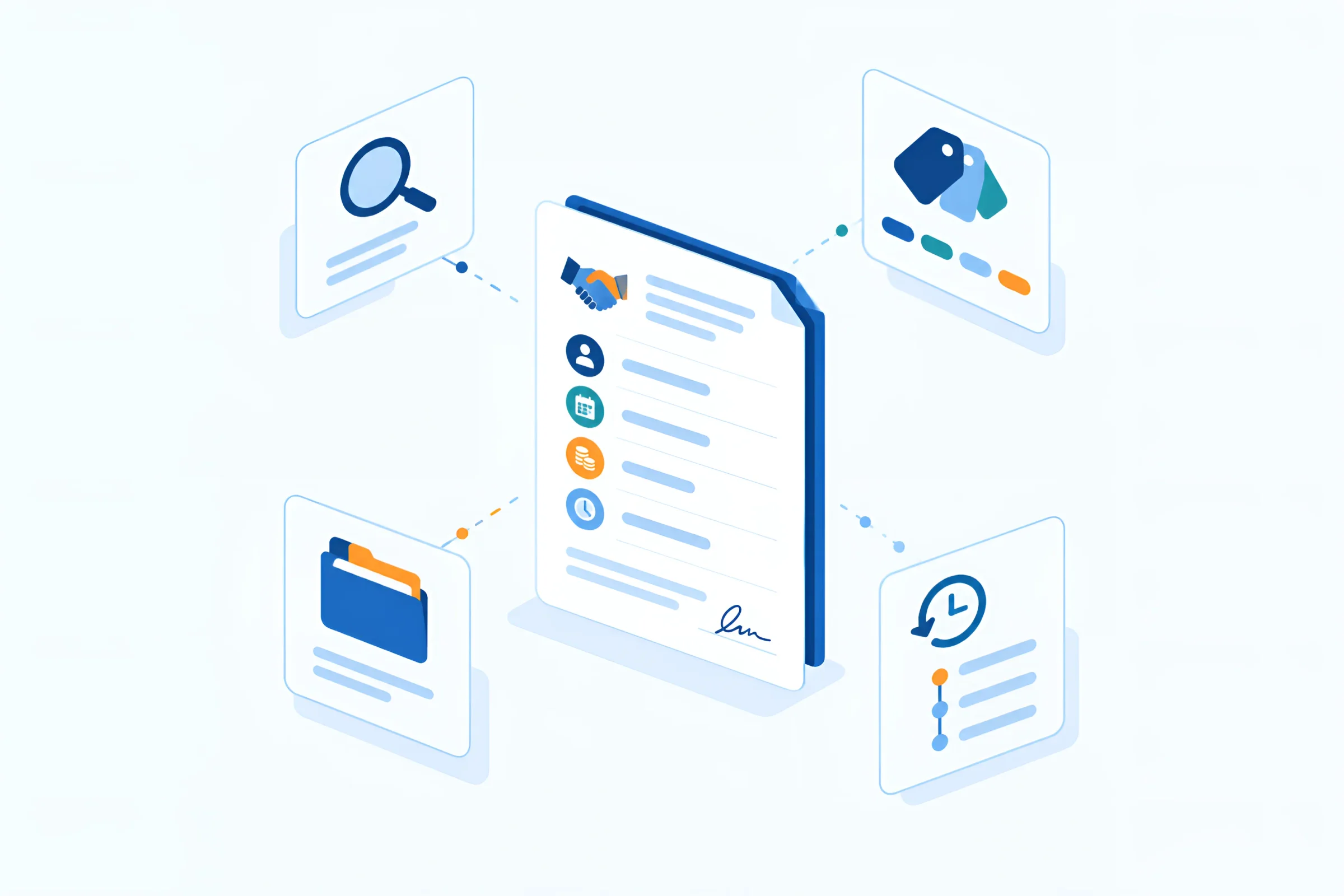
Contract, attachments, amendments and correspondence sit in one digital contract file. Key data such as partner, term, notice period and value are in the form, and the status shows where the contract currently stands.
Full-text search across all contracts and attachments.
Discuss features
Follow-ups, notice periods and contract end dates appear as a table, timeline and calendar. Before every deadline, ELO automatically notifies the people responsible – including for upcoming renewals.
Deputies see the same dates.
Discuss features
An approval workflow sends contracts to the defined review steps and logs every decision. The contract then goes to electronic signature – via DocuSign or, with HEROsign, via Adobe Sign, FP Sign, Skribble or MOXIS.
Signed contracts land in the file automatically.
Discuss features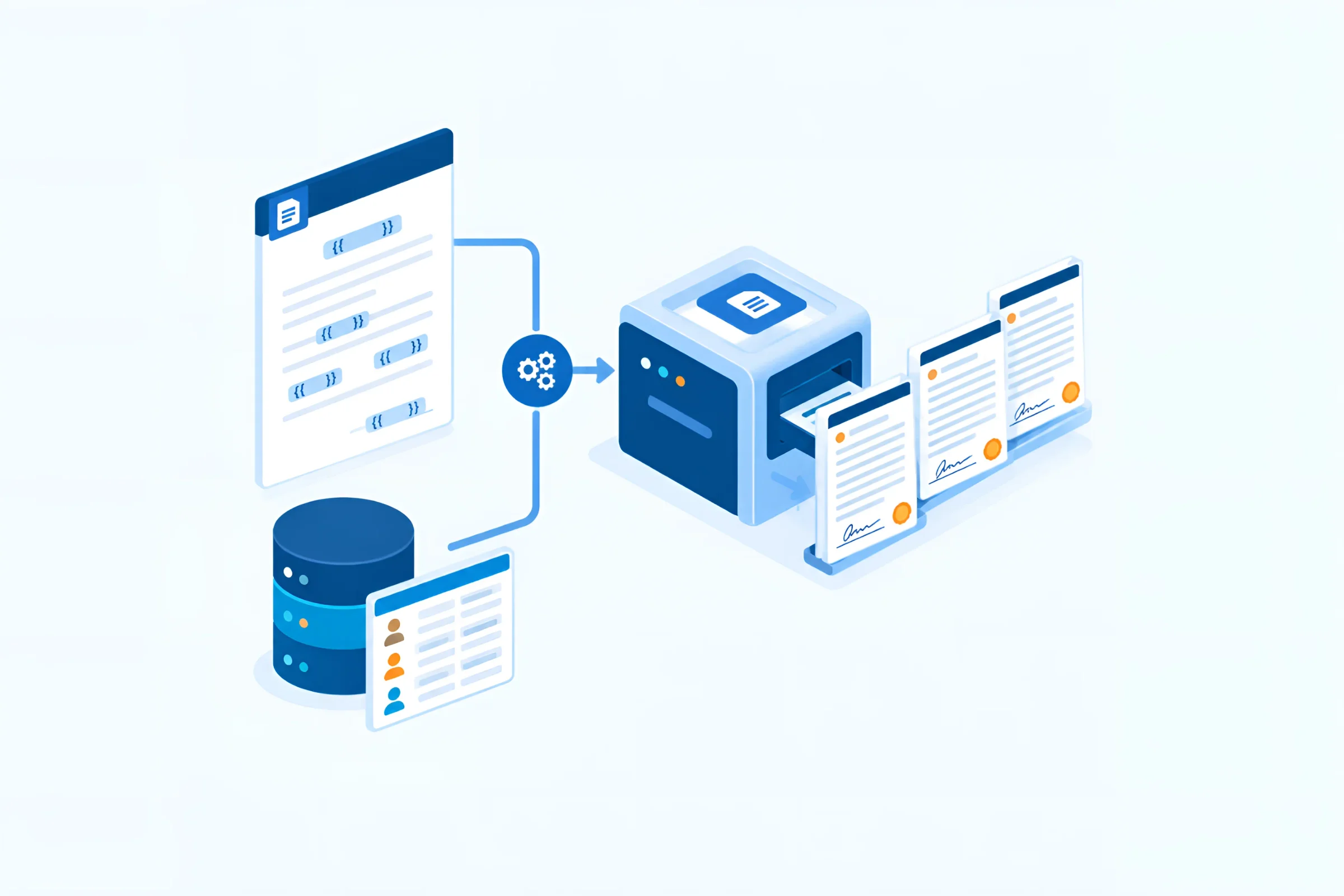
Templates with placeholders fill themselves with data from the contract file. You maintain standard clauses centrally in clause management. For complex documents, HEROdocgen generates contracts from Word templates and data.
New contracts in minutes instead of hours.
Discuss featuresELO Contract is ELO's contract management solution – built for central contract management across the entire company. It runs on the ELO ECM Suite and comes with everything digital contract management needs: a central repository for all contracts, an overview of terms and notice periods, approval workflows, templates, reports – and AI that summarises contracts for you. Because ELO Contract is part of the platform, contracts don't sit in an isolated silo but in one system alongside invoices, correspondence and HR documents.
The terms are often used interchangeably, but they mean different things. Contract administration means filing contracts and finding them again. Contract management means actively steering the entire lifecycle – with deadlines, approvals, templates, owners and reports. Even digital contract administration on a network drive or in an Excel list can at best administer. Contract management software like ELO Contract actually manages.
Every contract goes through the same phases – whether it's a supply contract, a lease or a software licence. Good contract management supports all of them:
Contract administration software has to handle very different contracts. Typical in mid-sized companies are supplier and framework agreements in purchasing, customer and service contracts in sales, rental, lease and maintenance contracts for buildings and equipment, leasing contracts for vehicles and machinery, software, licence and cloud contracts in IT, insurance contracts, non-disclosure agreements and employment and service contracts in HR. Each of these contract types has its own deadlines, approval paths and owners – which is why you set each one up as a separate contract type in ELO Contract.
Every contract gets a contract file. It holds the contract itself, all attachments, amendments, correspondence and a form with the key data: contract partner, contract type, term, notice period, value and owners. Every contract is based on a contract type – such as supplier, customer, rental, maintenance or framework agreement – and inherits its structure and rules. Terms can be stored as open-ended, fixed or indefinite.
ELO Contract maps the lifecycle with clear statuses: draft, approval initiated, approved, in negotiation, concluded, terminated or cancelled. That way you see at a glance where each contract currently stands. Dynamic folders also sort contracts by status, contract type or partner – without anyone having to move files.
The most important promise of contract management software is simple: never miss a deadline again. ELO Contract shows follow-ups, notice periods and contract end dates in three views – as a table, as a timeline and as a calendar with month and day views. Before every deadline, the system automatically notifies the people responsible, including for upcoming renewals. If someone is absent, their deputy sees the same dates.
Before a contract is signed, several people usually review it: the business unit, purchasing, legal, management. In ELO Contract this starts an approval workflow that sends the contract sequentially or in parallel to the defined review steps. Every decision is logged. You define once from which contract value management must approve or which contract types always go to legal – workflows handle the rest automatically.
Contracts are created faster when nobody starts from scratch. Document templates in ELO Contract contain placeholders that are filled automatically with data from the contract file. With clause management you define standard clauses once, centrally. If a clause changes, the change can be applied to all affected contracts and updated with one click before signing. For complex documents with tables, conditions and data from other systems, HEROdocgen adds contract creation from Word templates.
With the ELO Assistant, AI works directly in ELO: it analyses entire contracts, summarises individual passages concisely and suggests suitable next steps. On request it proposes values for the fields of the contract file, which you review and save – you stay in control. The assistant only accesses documents the respective person is authorised to see. If you want to extract contract data from large legacy holdings, you can also use the HEROextractor, which recognises any data in any document. Because artificial intelligence in ELO is part of the platform, you use the same functions for invoices, correspondence and personnel files too.
Once the contract is approved, it goes off for signature. ELO connects DocuSign directly: the contract is sent from the system, the signer receives an email, and the signed document automatically lands back in the contract file. If you use a different provider, HEROsign connects Adobe Sign, FP Sign, Skribble or MOXIS to the contract process.
Which signature you need depends on the contract. A simple electronic signature is enough for many contracts without formal requirements. An advanced one assigns the signature unambiguously to a person and detects subsequent changes. Only the qualified electronic signature (QES) replaces the statutory written form. You define these levels per contract type so that nobody has to decide case by case.
Full-text search covers contracts, attachments and correspondence – including scanned paper contracts after text recognition. You can also filter by fields such as partner, contract type, status, end of term or owner. The question “Which maintenance contracts expire next year?” is answered in seconds.
A dashboard shows all active contracts. ELO Contract stores reports as Excel spreadsheets in the repository, and payment plans are set up quickly. Only authorised people get read and edit rights – across locations and on mobile devices too. You store contacts and companies once and simply select them for the next contract. For financial companies there is also an extensible DORA module that integrates BaFin requirements into the contract file and exports reports for the BaFin portal.
ELO Contract suits companies that have more than a handful of contracts and no longer want to manage them in binders and lists – from mid-sized businesses with a few hundred supplier contracts to corporate groups with several locations. It pays off especially when several departments are involved in contracts, approvals have to be traceable or contracts need to work together with ERP, accounting and invoice verification. If you already use ELO for document management or incoming invoices, you add contract management on the same platform without introducing a new system.
Whether you're evaluating ELO Contract or another contract management tool – these points separate a solution that holds up in everyday work from one that ends up back in Excel after a year:
ELO Contract meets these criteria because it isn't a standalone tool but part of a platform that reaches from document management to complete process digitalisation.
AN EXAMPLE FROM PURCHASING
Fill in the template, approve, sign, monitor the deadline – without binders and without Excel.
Three months before the notice period expires, purchasing automatically receives a reminder – and decides in good time.
Supplier and framework agreements with terms and conditions. With automatic reminders.
Customer contracts, quotes and amendments linked to the customer. Ready to hand in the CRM.
Reviews, clauses and approvals, fully traceable. With a log of every decision.
Employment contracts and records stored securely. With strict permissions.
Rental, maintenance and service contracts with deadlines. No missed renewals.
Licence, software and service provider contracts under control. No licence surprises.
Overview of commitments and costs. At a glance on the dashboard.
Payment plans and reports at the push of a button. As an Excel report in the repository.
CONTRACT ADMINISTRATION COMPARED
Contract administration can be done with Excel, with a pure contract tool or with a platform. What matters is how well contracts are connected to the rest of your processes.
EXCEL & BINDERS
ELO CONTRACT
STANDALONE CONTRACT TOOL
Contracts often have to be retained for six years, or eight as accounting records – in practice counted from the end of the contract. ELO archives every version unalterably, logs every access and monitors retention periods per contract type.
You store retention and notice periods once per contract type.
Every change is logged, and signed versions are preserved.
Only authorised people see sensitive contracts – across locations too.
DOCSHERO® / Contract management
Still keeping contracts in cabinets and Excel?
Enter your website and find out in a short conversation how to migrate your existing contracts into ELO Contract.
We don't store your input – the logo loads via Google.
The software is the smaller part. For digital contract management to work in everyday business, you need clear contract types, responsibilities and a clean start with the contracts that already exist today. This is how we approach it with you.
If you still have a lot of paper contracts, plan scanning as a separate sub-project. How you can digitise documents without blocking day-to-day work depends mainly on the volume and condition of the files.
In Germany, a contract is generally not subject to any formal requirements. Where German law requires a specific form, there are three levels:
Since 1 January 2025, employers in Germany may provide the essential working conditions under the Nachweisgesetz (German Evidence of Employment Conditions Act) in text form, provided the document can be stored and printed and proof of receipt is requested. This does not apply to certain sectors covered by the Schwarzarbeitsbekämpfungsgesetz (German Act to Combat Undeclared Work). Terminations and termination agreements, on the other hand, still require written form; the electronic form is excluded for them (§ 623 BGB). For a fixed-term employment contract, § 14 TzBfG (German Part-Time and Fixed-Term Employment Act) requires written form, which can be replaced by a QES. And for long-term commercial leases, text form has been sufficient since 2025. That is why you define which signature method suits which contract per contract type.
Contracts are often commercial or business letters and must therefore be retained for six years under § 147 AO (German Fiscal Code) and § 257 HGB (German Commercial Code). If they serve as accounting records, eight years have applied since 2025. The period starts at the end of a calendar year; in practice, for contracts you count from the year in which the contract ends. An overview of all retention periods helps you store the rules per contract type. In ELO, contracts are archived in an audit-proof way – unalterable, logged and with automatically monitored deadlines.
Contracts in purchasing are closely tied to suppliers, orders and invoices. If you use SAP, you link documents from ELO directly with transactions in SAP via the SAP integration – for S/4HANA On-Premises, Private Edition and older SAP systems as well as for S/4HANA Cloud Public Edition. That way purchasing sees the matching framework agreement for a supplier in SAP, and invoice verification checks prices against the agreed conditions. You can also connect other ERP systems such as Microsoft Dynamics 365 Business Central via the ELO platform.
ELO Contract runs wherever it fits your IT: on your own servers, in a private cloud or hosted by us in the HEROcloud from German and European data centres. Especially for contracts with sensitive conditions, that's a strong argument – your data stays in Europe, and you keep control over who has access. Switching the operating model later is possible without replacing the system.
Many contracts don't come from your own template but from the partner – by post or email. In the digital mailroom, HEROclassify recognises incoming documents as a contract, amendment or termination and starts the right ELO process. Uncertain cases are checked by a person before the document lands in the contract file. That way no contract gets lost in one person's inbox again.
Contracts are often negotiated by email. You archive emails from Outlook and Exchange directly in ELO, and Teams and SharePoint are connected. Drafts, queries and the final version are kept together in the contract file – instead of scattered across personal inboxes.
A contract defines what a supplier is allowed to charge. If contracts and invoices sit on the same platform, invoice verification can check prices and conditions directly against the agreement. With e-invoicing in ELO, incoming invoices arrive digitally from 2027 anyway – the link to the contract is then just one click away.
Contracts contain personal data: contact persons, signatures and, in employment contracts, salaries and addresses. The GDPR requires that only authorised people have access and that data is deleted once there is no longer a purpose or retention obligation. In ELO you control access via roles and permissions, log every access and store deletion periods per contract type. For employment contracts and other HR documents, the digital personnel file with even stricter permissions is the right choice.
A contract management Excel list is where many companies start – and as a transition it's perfectly fine. But it breaks as soon as several people maintain it, deadlines need automatic reminders or an auditor wants to know who approved what and when. The good news: a well-maintained list is the best basis for migration. We import columns such as partner, contract type, start date, term and notice period directly as key data into ELO Contract.
Software alone doesn't prevent a missed deadline. What matters is that it's clear who is responsible for each contract. A simple division has proven itself:
In ELO Contract every role is linked to the contract file. Reminders go to the right person, and the deputy takes over during absences.
With all contracts in one system, questions that used to take days become answerable: How many contracts expire in the next 90 days? Which ones renew automatically? How high are annual commitments per supplier or cost centre? How long does an approval take on average? ELO Contract stores such analyses as reports in the repository – the basis for better negotiations and fewer surprises.
The cost of contract management software depends on the number of users, contract types, operating model, interfaces and the migration of your existing contracts. On the other side is what happens without a system: contracts renew because nobody cancelled in time. Discounts and special termination rights go unused. Employees search for versions instead of working. And during an audit there's no proof of who approved what. Preventing just one unwanted renewal of a larger service or maintenance contract can cover a large part of the implementation. We prepare a binding quote after a short analysis of your contract portfolio.
ELO Contract is implemented by certified ELO Business Partners. As an ELO Business Partner we know both: the requirements of purchasing, sales and legal, and the platform behind them. We connect contract management with the mailroom, with email and Microsoft 365, with SAP via our SAP integration and with DATEV via ELO for DATEV. And if you're choosing between several systems, the DMS comparison helps you decide.
Contract management stands or falls with clean contract types, clear responsibilities and a good data migration. That's exactly what we take care of.
As a certified ELO Business Partner, we set up ELO Contract to fit your contract types and approval paths.
With HEROscope we analyse your portfolio, processes and responsibilities before we configure anything.
More than 250 companies trust us – with dedicated contacts at four locations in Germany.
FROM EXCEL TO ELO CONTRACT
Hardly any company starts without existing contracts. We migrate your current contracts and lists into ELO Contract – completely and traceably.
Scan paper contracts, collect digital contracts and Excel lists, assign contract types.
Import contracts and key data, extract data from legacy contracts with AI and review it.
Activate deadlines, assign owners and get automatic reminders from now on.
CONNECTED TO YOUR SYSTEMS
Contracts are linked to suppliers, customers, orders and invoices. Because ELO Contract runs on the ELO platform, you connect contracts with email and Microsoft 365, with SAP, DATEV and other ERP systems.

IMPLEMENT WITH DOCSHERO®
From analysis to day-to-day operation.
GOOD TO KNOW
Contract management covers all tasks around contracts: creating, negotiating, reviewing, approving, signing, filing, monitoring deadlines, renewing or terminating. The goal is to keep obligations, costs and risks in view at all times.
Contract administration mainly means filing and finding contracts. Contract management goes further and steers the entire lifecycle – with deadlines, approvals, templates, reports and responsibilities.
Contract management software manages contracts centrally, reminds you of deadlines, controls approvals by workflow and makes contracts searchable. ELO Contract is ELO's contract management solution and runs on the ELO ECM Suite.
Mid-sized companies are best served by a solution that connects contracts with invoices, email and ERP instead of creating another silo. ELO Contract offers the contract file, deadlines, workflows and AI on one platform that you can later expand to further processes.
In ELO Contract you store the term and notice period in the contract file. Follow-ups, notice periods and contract end dates appear in a table, timeline and calendar, and the system automatically notifies the people responsible before every deadline.
Yes. The ELO Assistant analyses contracts, summarises passages, suggests next steps and proposes values for the fields of the contract file, which you review. For large legacy holdings, the HEROextractor reads data from any document.
Yes. ELO connects DocuSign; alternatively, HEROsign lets you connect Adobe Sign, FP Sign, Skribble or MOXIS. Signed contracts automatically land in the contract file.
Under German law, most contracts have no formal requirements, so a simple or advanced electronic signature is sufficient. Where the law requires written form, only the qualified electronic signature (QES) can replace it. Terminations and termination agreements for employment relationships still require paper with a handwritten signature.
Since 1 January 2025, employers in Germany may provide the essential working conditions in text form if the document can be stored and printed and proof of receipt is requested. Sectors covered by the German Act to Combat Undeclared Work (Schwarzarbeitsbekämpfungsgesetz) are excluded. Fixed-term contracts require written form or a QES.
As commercial or business letters usually six years, as accounting records eight years since 2025 (under German tax and commercial law). The period starts at the end of a calendar year; in practice you count from the year in which the contract ends. ELO monitors retention periods per contract type.
Yes. Paper contracts are scanned, digital contracts and Excel lists imported. Key data from legacy contracts can be extracted with AI and then reviewed.
All the ones you need: for example supplier, customer, framework, rental, maintenance, licence, service or employment contracts. Each contract type gets its own fields, deadlines and approval paths.
Yes. ELO Contract runs on your own servers, in a private cloud or hosted by us in the HEROcloud from German and European data centres.
Yes. With ELO's SAP integration you link documents with transactions in SAP – for S/4HANA On-Premises, Private Edition and older SAP systems as well as for S/4HANA Cloud Public Edition.
Yes. Emails from Outlook and Exchange can be archived in ELO, and Teams and SharePoint are connected. That way contract correspondence and drafts land directly in the right contract file.
DORA is an EU regulation on the digital operational resilience of financial companies. ELO's extensible DORA module integrates DORA requirements into the contract file and exports reports for the BaFin portal.
The cost depends on the number of users, contract types, operating model, interfaces and the migration of your existing contracts. You receive a binding quote after a short analysis.
A first area such as purchasing is often live within a few weeks. Large legacy holdings and many contract types take more time. A step-by-step rollout has proven successful.
Contract management includes contract creation, review and negotiation, approval, signature, filing, deadline monitoring, amendments, renewal or termination, reporting and audit-proof archiving after the contract ends.
There are free templates and simple tools that list contracts. For companies, they usually lack workflows, permissions, audit-proof archiving and the connection to ERP and email. The cost of a missed notice period often quickly exceeds that of a professional solution.
RELATED SOLUTIONS
These building blocks complement your contract management.
Sign contracts digitally with your signature provider.
DiscoverCreate contracts from templates and data.
DiscoverExtract any data from documents with AI.
DiscoverControl approvals and processes digitally.
DiscoverAudit-proof retention under German GoBD rules.
DiscoverRun ELO in German and European data centres.
Discover
Let's discuss how you digitise your contract management with ELO Contract.